

Enigma2 is a secret piece of software that is built into all Linux-based receivers like VU+ or Dreambox. It unlocks a huge range of features, such as Auto-Bouquets, a full 7-day EPG (Electronic Program Guide), and Picons, which are pictures of channel logos.
All Vu+ hardware set-top boxes that came before these use MIPS architecture. The newest ones, on the other hand, only use ARM architecture and run Enigma2 image-based software as their firmware. Because it is based on Linux, this firmware can be officially upgraded by users. This is different from other receivers that use third-party “patching.” Dreambox, which was made by Dream Multimedia, is where Enigma 2 firmware gets its start.
Learn how to use autoscript to add IPTV channels to Enigma2.
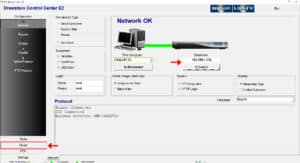
Step 1: Get the tools you’ll need to start. Get the Dreambox Control Center for Enigma2 (DCC_E2). Using the Dreambox Control Center E2 and selecting “Telenet,” you can connect to your Enigma box. Prior to doing anything else, you need to discover the IP address of your Enigma2 box. More information about this subject will be given in later parts of this article.
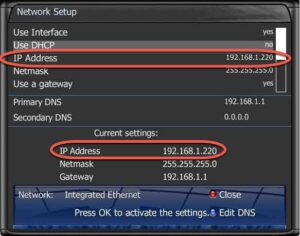
Step 2: We need the box’s IP address, username, and password to make a connection. The username and password are usually set as root/root. To find out the IP address, press the Menu button on the remote. Go to Settings and then pick Network Settings. You will see a screen that looks like the picture below:
Step 3: Once you’ve connected your box to the Dreambox Control Center, run the Autoscript command that your IPTV provider should have given you. Most of the time, these scripts come in two versions:
- OE1.6 version using Python 2.6: This version is recommended for use on receivers that aren’t Dreamboxes.
- OE2.0 version using Python 2.7: This version is recommended for use with Dreambox receivers.
The command line for our perfect Dreambox should look like this:
wget -O /etc/enigma2/iptv.sh "http://tv.yourdns.com/get.php?username=your-line-username&password=your-line-password&type=enigma216_script&output=ts" && chmod 777 /etc/enigma2/iptv.sh && /etc/enigma2/iptv.sh
In Telnet Terminal, copy and paste this command line and press enter.
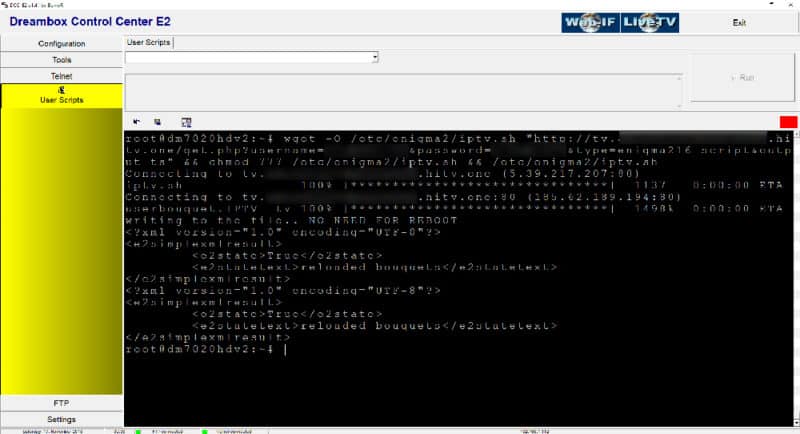
Step 4: After running the Autoscript command, all users should restart the device. Just type “reboot” into the Telnet terminal to start a reboot.
Step 5: After the restart, you will see a new group called “IPTV” on the Bouquet list.
Please feel free to tell us what you think about this article in the section below. Your opinion is very valued. Thank you ahead of time for your contributions!