

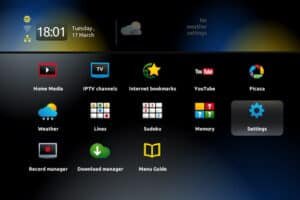
It’s possible that you will need to change your portal address to a different IPTV provider. Following these steps will show you the whole process you need to go through to change your MAG box’s portal address.
Details on how to change the portal address
After turning off the box and removing the power cord, the next step is to cut the link between the enclosure and the router.
Before you can turn on the enclosure, you have to disconnect it from the modem. You will have to wait until the screen says “Loading Portal.” Make sure the remote’s “SET” button is pressed. Click the “OK” button when you get to the Configuration page.
This time, press the “SET” button on the remote control again.
Click “OK” when you’re done with the Servers section.
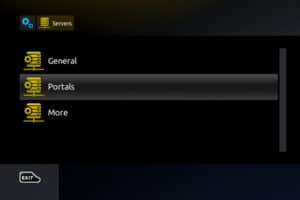
To delete everything at the Portal 1 URL, press the “back” button on the remote. Pick the “KB” button, which is in the upper right corner of the remote and looks like a keyboard.
Enter the portal’s new address.
By pressing the “KB” button on the remote, you can turn off the keyboard on the screen. Next, go to the bottom of the screen and choose “OK.” After reconnecting the cable that goes from the box to the modem, you can either reload the portal or use the power source to restart the TV Box.
We’d like to invite you to share your thoughts and feedback about this article in the section below for comments. We value the things you say and think, and we care about what you have to say. Let me start by thanking you ahead of time for taking the time to give me feedback.
 IPTVSKYPRO