

How can I configure Lazy IPTV for IPTV?
We’ll walk you through setting up IPTV on Android with Lazy IPTV player in this tutorial.
You can watch IPTV based on TV technology with this application. This program is merely a client and has no built-in playlists, making it easy and comfortable to watch TV online. Playlists in the m3u with options or xspf format are preferred.

This app is available for download using the link below:
https://play.google.com/store/apps/details?id=com.lazycatsoftware.iptv&hl=en_US
How to configure Lazy IPTV with IPTV channels
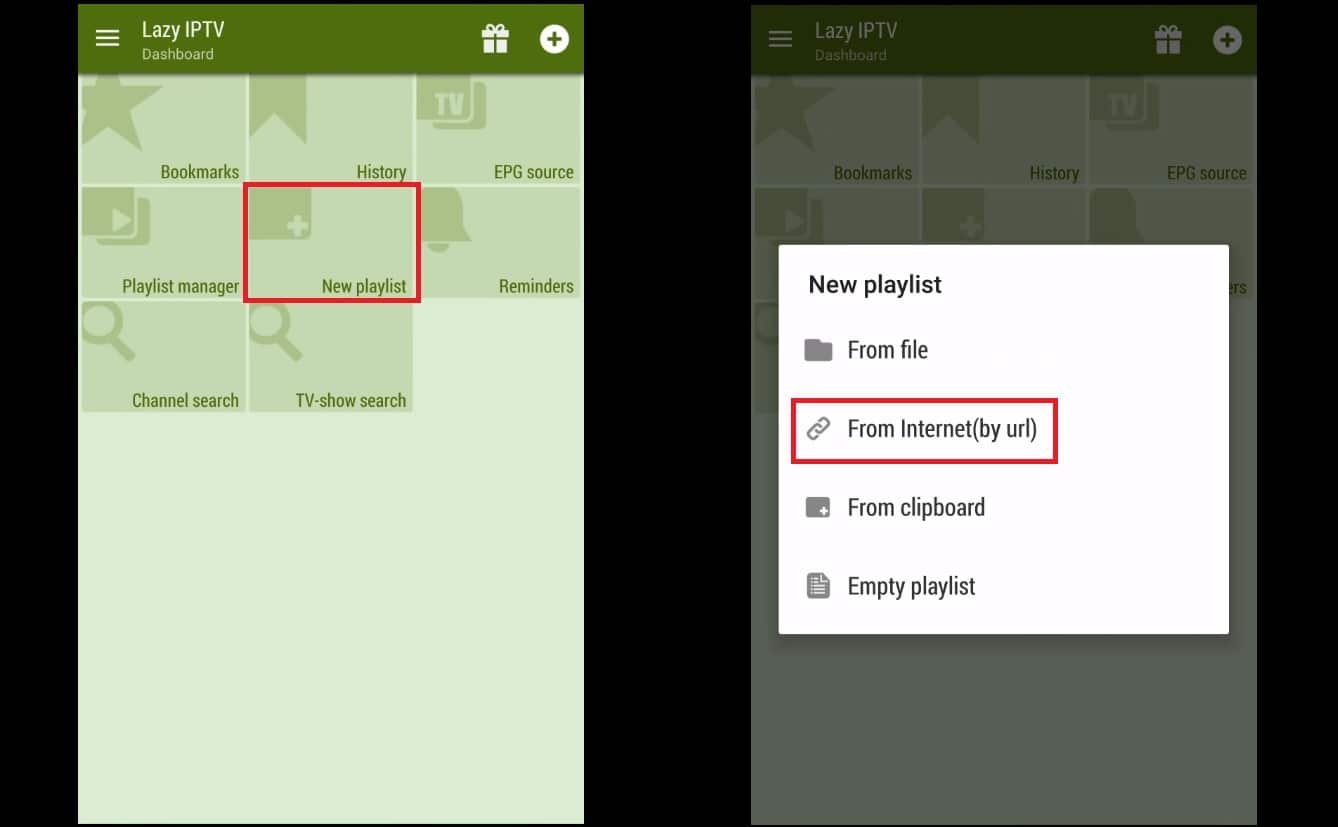
Step 1: Click “New Playlist” first, then choose “From Internet(by URL)” to add your M3U URL.
Step 2: Put your M3U link in the “path to playlist file or url” field, give your playlist a name in the “playlist’s name” field, and click “Save.”
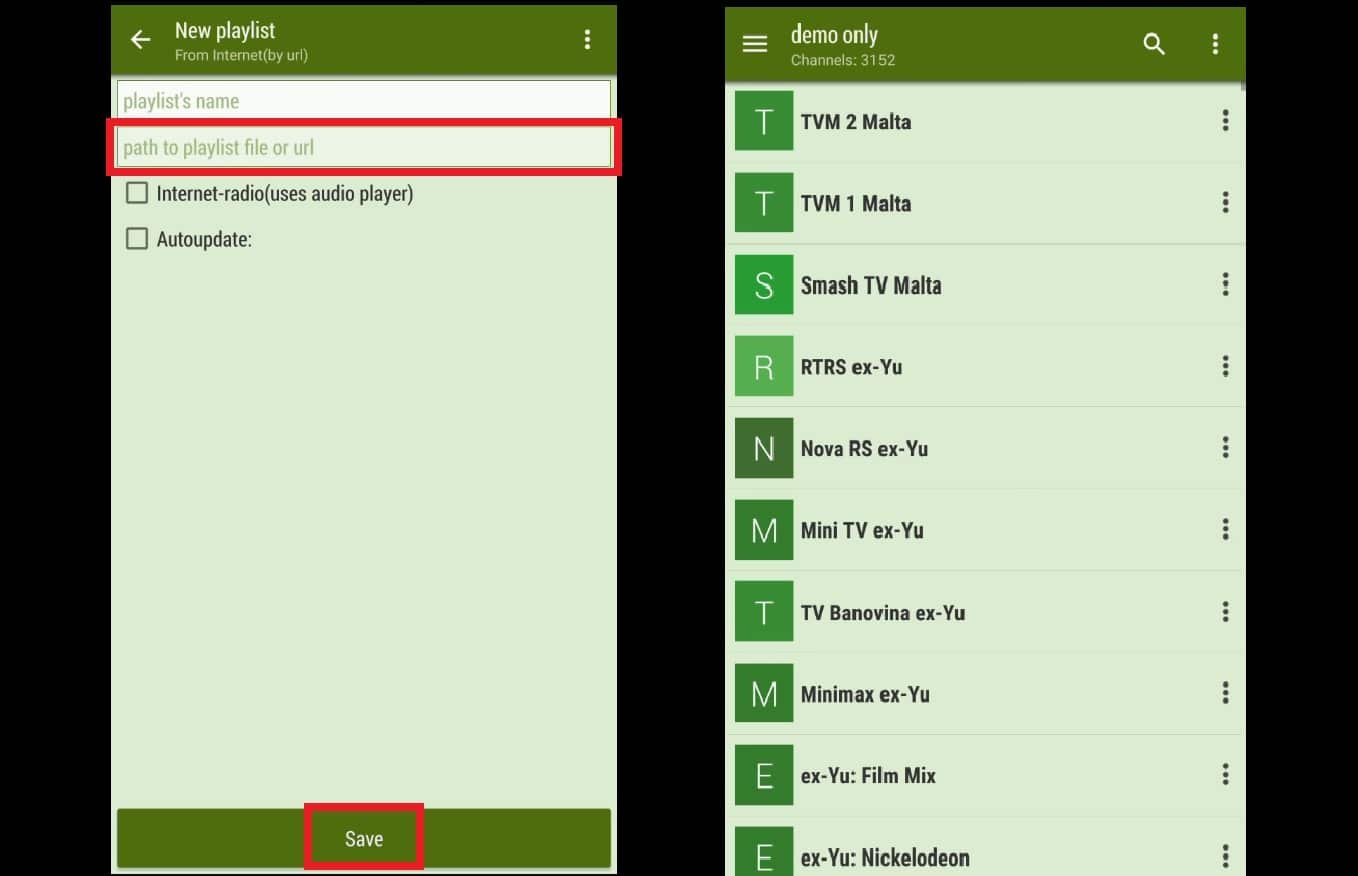
Step 3: Your playlist is now added. To begin your TV session, you can choose a group and a channel.
Lazy IPTV’s features
- Support for m3u playlists (in open-view or v zip/gz format), as well as the ability to add playlists from the clipboard, the internet, or the device file system
- able to play YouTube and VK-Video links as well as HTTP and UDP streams
- Playback of internet radio through the integrated audio player
- support a number of UDP-proxies, which can be switched out using the functional playlist.
- support playlist auto-updating and, in the event that it is unavailable, using a cached version
- Playlists and the most viewed channels can be positioned on the main screen, which can be customized in title-style view. The application’s basic features include sorting titles.
- favorites, nested folders, support, and playlists that group the same channels
Please share your thoughts and comments about this article in the space provided below. I’m grateful in advance.
Developed by iptvskypro.com