


TiviMate IPTV Player is an advanced tool designed for watching IPTV content that can be found in the world of Android apps.
TiviMate is a popular choice among Firestick users who want to watch a lot of IPTV channels. People who like to stream choose this platform because it’s easy to use and works smoothly.
Features TiviMate application
From the ease of use of the Catch-up feature to the flexibility of the Recording options and the added benefit of Subtitle support, TiviMate is a tool that can meet a wide range of user needs.
Use the Xtream Codes API to set up the Tivimate IPTV Player.
Step 1: First, get the app from this link and install it:
https://play.google.com/store/apps/details?id=ar.tvplayer.tv
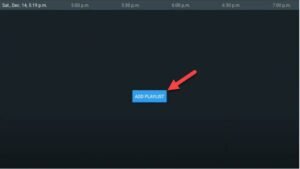
Step 2: Open TiVo and click on “ADD PLAYLIST.”
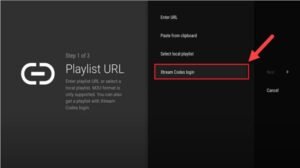
Step 3: Click “Next” after clicking “Xtream Codes login.”
Step 4: Use the dashboard that your progressive IPTV provider gives you to get to your M3U URL. You can find all the information you need to properly set up TiviMate IPTV Player in this dashboard. Find the server address, username, and password that go with your M3U URL.
Make sure to choose “Include VOD” when setting up your account if you also want to access Video on Demand (VOD) content. This makes watching more complete by including both live channels and content that you can watch whenever you want.
Keep going, and the channels will show up soon.