


How can EPG be added to Perfect Player?
With the help of the Android app Perfect Player, you can stream IPTV channels to your preferred tablets, smartphones, and Smart TVs by simulating a set-top box. Please be aware that there are no IPTV channels included in this application. You must add your own M3U playlists in the settings section before you can add IPTV channels. M3U list: what is it?
Perfect Player is compatible with Microsoft Windows, Linux, and Android.
We’ll demonstrate how to incorporate EPG into your Perfect Player application in this tutorial. How to set up IPTV on Perfect Player Android?
How to use Perfect Player with EPG
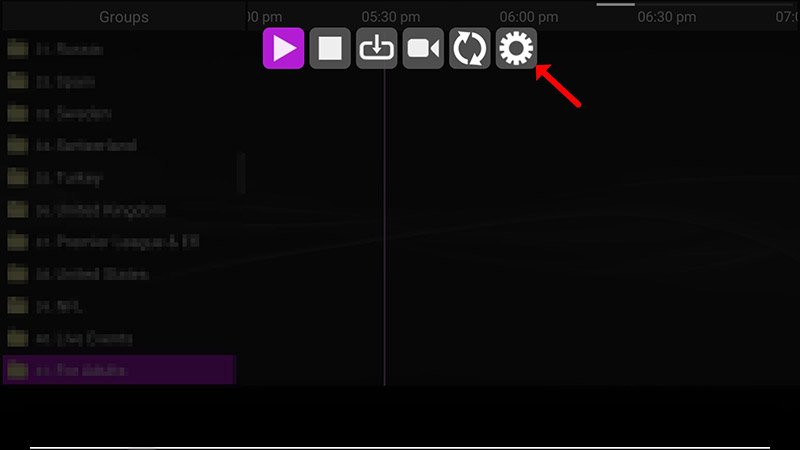
Step 1: Click “Settings” once the Perfect Player has started.
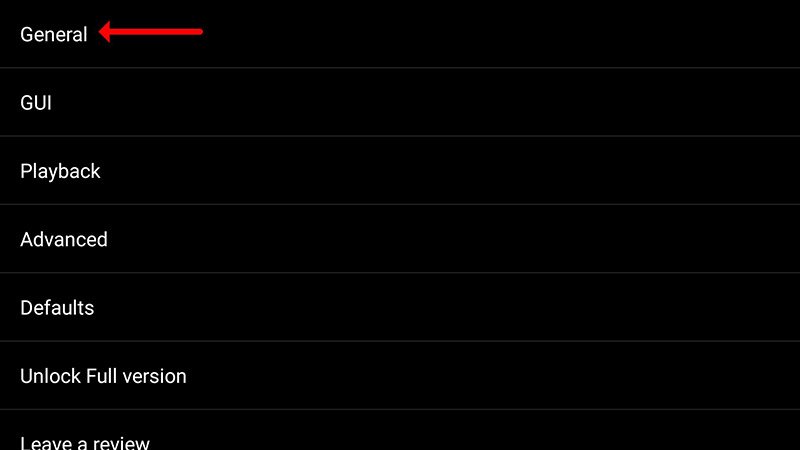
Step 2: Choose “General” now.
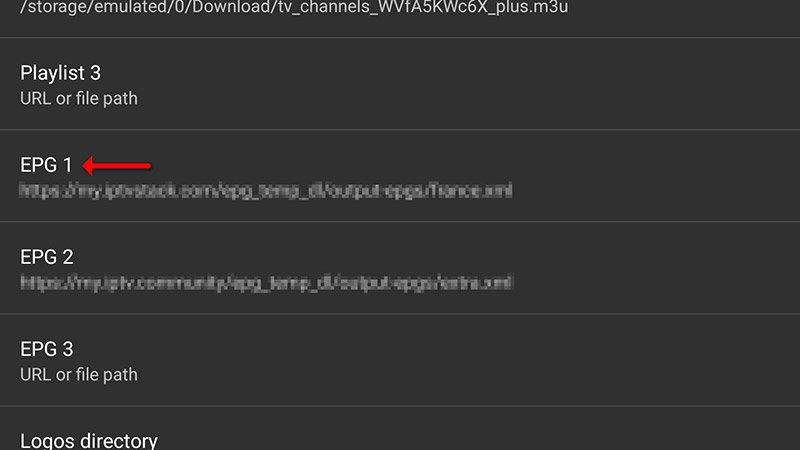
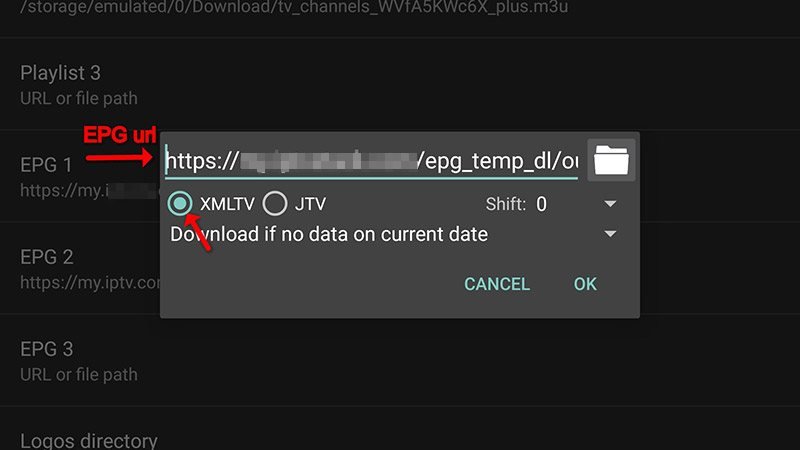
Step 3: Choose “EPG URL or file path,” type in the EPG URL that your IPTV distributor gave you, and click “OK.”
Multiple EPG URLs can be added here.
Step 4: Wait for your channels to load after restarting the application.
That’s all. Your list of channels should then appear alongside your “EPG.”
Please feel free to discuss this with us in the comments section below if you believe you need more assistance.
Developed by iptvskypro.com