


How can I configure IPTV on ProgTV?
Previously known as HyppTV, ProgTV is a straightforward yet feature-rich application for listening to radio stations and streaming IPTV channels via the Internet or local network. What is streaming over the internet?

This app is available for download from the Google Play Store using the link below:
https://play.google.com/store/apps/details?id=com.progdvb.progtva&hl=en_US
How to update the ProgTV app with IPTV channels
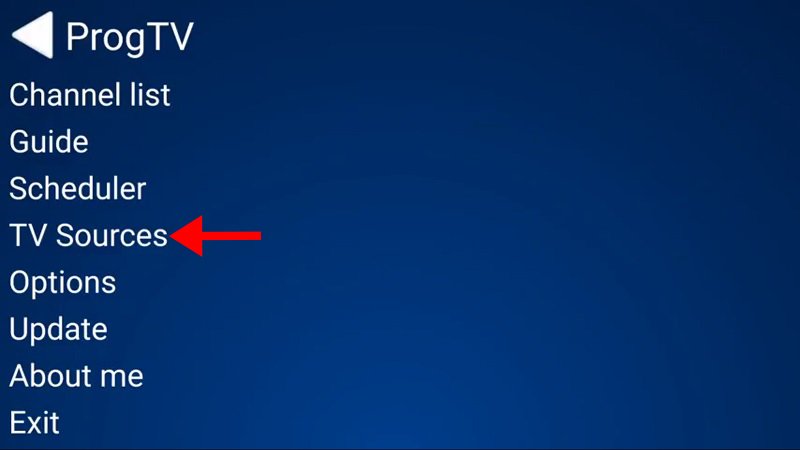
Step 1: Choose “TV Sources” from the application’s main menu to move on to the following step.
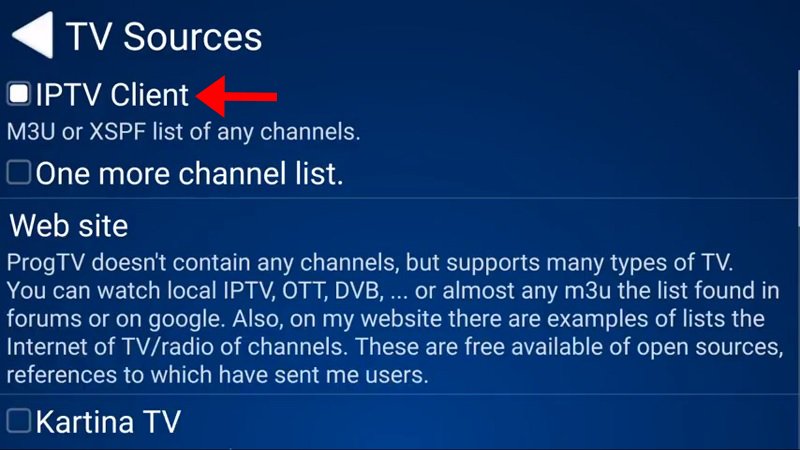
Step 2: Choose “IPTV Client,” as indicated by the red arrow in the image below.
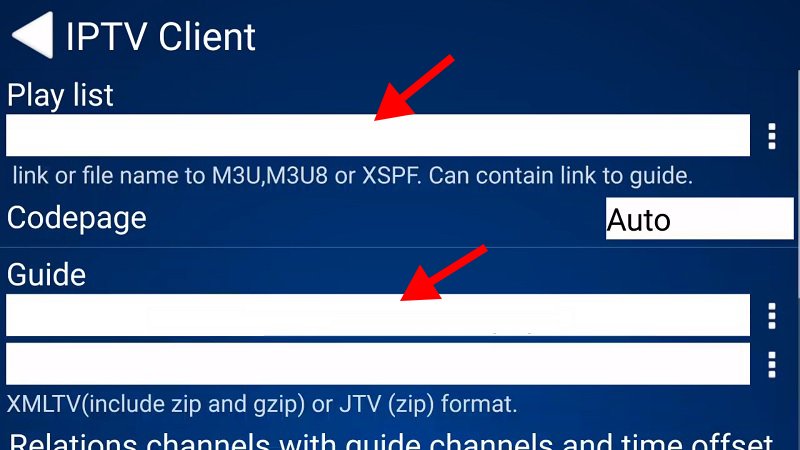
Step 3: At this point, you need to put your EPG URL in the “Codepage” section and your M3U URL in the “Playlist” section. M3U: What is it?
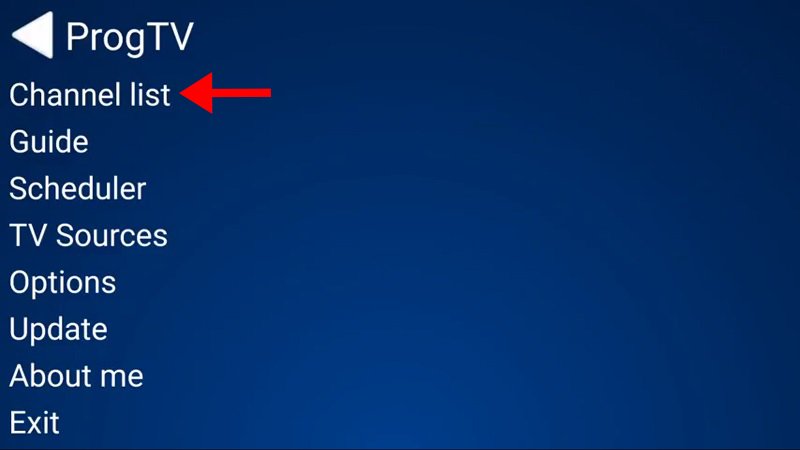
Step 4: The channels you just added will now show up when you return to the main menu and choose “Channel list.”
Please take note that the installation process for this application is identical to what we showed in this article, and it is also available on Windows phones.
Functions and attributes of the ProgTV app
- One or more M3U (M3U8) and XSPF channel lists are supported. Auto-updating, guide, and channel logos.
- Support for Guide (EPG) in XMLTV and JTV formats (including zip and gzip)
- Internet radio and television. ITV lists (adapted from ProgDVB)
- Katrina TV and Xtream-Codes IPTV panel support
- M3U or other link formats for TV torrents.
- IP-based DVB.
- SAT>IP.
- Channels are received from DVB devices by the ProgDVB client.
Features:
- Change of Time
- Record.
- A scheduler.
- subtitles.
- details regarding the format of the channel.
- The interface is designed to work well on phones, pads, and TVs (including those with remote controls).
- support for multiple channel lists at once.
- list of favorites.
- Zoom and ratio settings per channel.
- Spectrum, AGC, and Equalizer.
- folder containing the channel’s user logo.
Please share your thoughts and comments about this article in the space provided below. I’m grateful in advance.
Developed by iptvskypro.com