

ProgTV, formerly HyppTV, is a user-friendly tool for accessing IPTV channels and radio broadcasts online or locally. The internet streams what?
You can download this app from the Google Play Store via the link below:
https://play.google.com/store/apps/details?id=com.progdvb.progtva&hl=en_US
How to add IPTV channels to ProgTV app
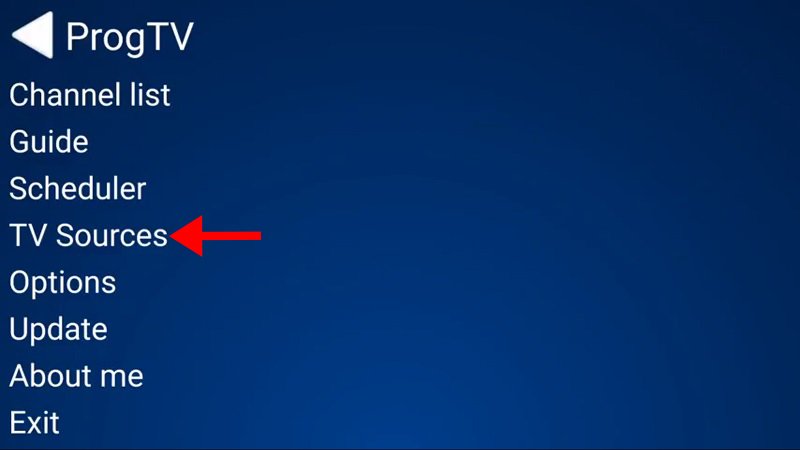
Step 1: Choose “TV Sources” from the app’s main menu and move on to the next step.
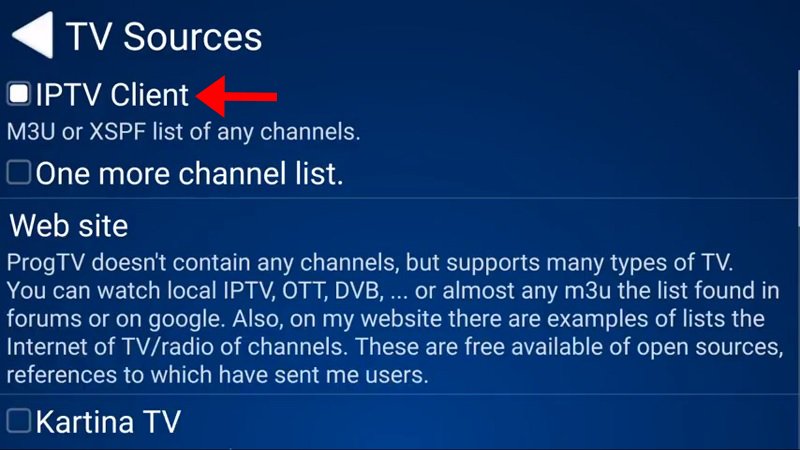
Now, choose “IPTV Client,” which is shown by the red arrow in the picture below.
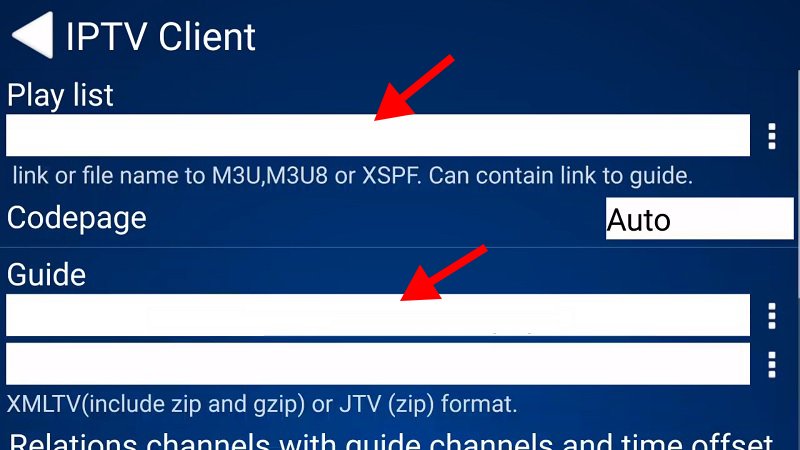
Step 3: In the “Playlist” section, type in your M3U URL. Type in your EPG URL in the “Codepage” box.
Fourth, go back to the main menu and choose “Channel list.” The channels you just added will now show up there.
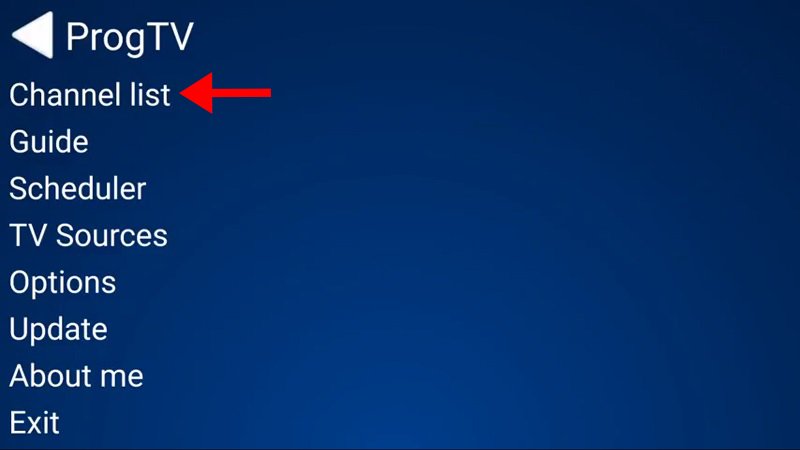
Please be aware that this app can also be used on Windows phones, and the process for installing it is the same as what is shown in this article.
There are many features and functions that the ProgTV app has, such as:
- It can work with one or more M3U(M3U8) and XSPF channel lists, complete with channel logos, a guide, and the ability to update itself.
- The Electronic Program Guide (EPG) can be saved in XMLTV, JTV, zip, and gzip files.
- You can watch TV and listen to radio over the internet, and ProgDVB supports ITV format lists.
- The Xtream-Codes IPTV panel and Katrina TV can work together.
- Torrent TV links in M3U or other formats can be used.
- You can use DVB over IP.
- SAT>IP help.
- This is a client for ProgDVB that lets DVB devices receive channels.
The following are the things that ProgTV can do:
- The ability to time shift.
- The ability to record.
- A scheduler for planning when to record.
- The ability to add subtitles.
- Show information about the channel format.
- Interface that works best on phones, tablets, and TVs, including using a remote.
- Being able to handle multiple channel lists at the same time.
- Making a list of favorites.
- Each channel has its own zoom and ratio settings.
- Things like Spectrum, Equalizer, and AGC.
- Giving users a folder to store their channel logos.
Please let us know what you think about this article. Please tell us what you think in the space below. Thank you in advance for your input!
Article by iptvskypro.com
[…] Does EPG work with over-the-top (OTT) streaming services? Yes, a lot of over-the-top (OTT) streaming services let users look through live TV channels and planned shows using the EPG. […]
[…] your GSE Android app is ready for streaming IPTV channels on your Android […]