

This guide will explain how to configure your Point-to-Point Tunnelling Protocol (PPTP) Virtual Private Network (VPN) connection on your system using a wireless DD-WRT router. What is Internet Protocol Television (IPTV)?
Prior to establishing the connection, it is imperative to confirm the presence of a functional internet connection, a router compatible with PPTP, and an active VPN subscription. A VPN connection is nonfunctional on an ISP modem. A secondary router must be connected to your modem to enable functionality in your VPN connection.
Instructions for configuring a VPN on a DD-WRT router
Step 1: Establish an Ethernet or wireless connection from your router to your computing device. Consult section 1a for Ethernet configuration and section 1b for wireless setup.

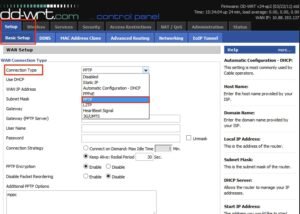
Step 2: Access the Basic Setup section in your DD-WRT router interface. A selection of options will be displayed. Choose PPTP from the Connection Type dropdown menu.
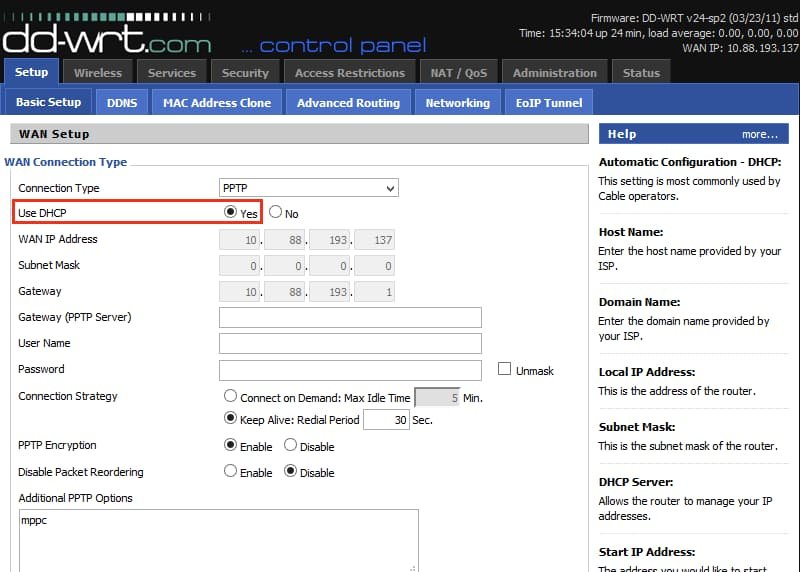
Step 3: Select Yes for the Use DHCP option.
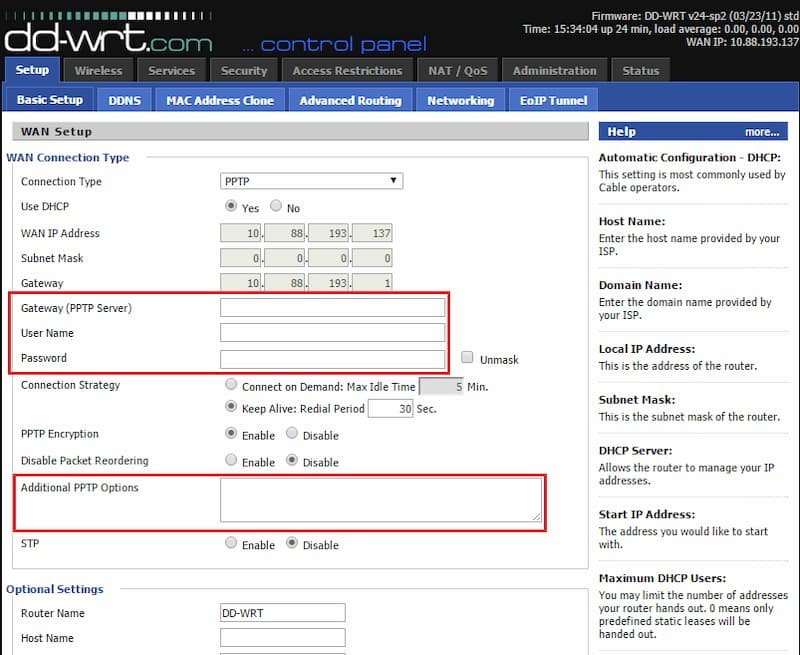
Step 4: Enter the specified server name in the Gateway (PPTP Server) field. This server can be acquired from an online VPN provider. Complete the Username and Password fields appropriately. In the additional PPTP option field, input “refuse-eap.”
Step 5: Proceed to the DHCP Server and ensure its activation. Select Apply Settings and subsequently click Save.
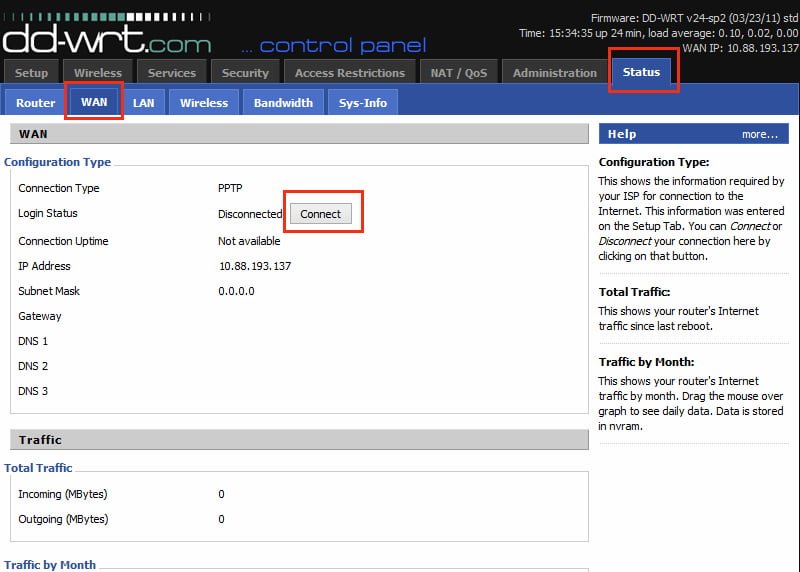
Step 6: Access the menu bar, select “Status,” and then proceed to the WAN tab. Select “Connect” to initiate a connection with your VPN provider.
Please share your opinions and feedback regarding this article in the comments section below. I value any assistance you can offer.
[…] devices used to be the only ones that could catch up. With IPTV Smarters , you can now be one of the few Windows apps that can do this. How do you catch […]
[…] can get IPTV Smarters Professional at an Apple Store and use it on your iPhone, Apple TV, or any other iOS […]
[…] Guide to the Programmes You can always use the remote control for your IPTV device or TV to get to EPG. The menus are shown that let the user see a list of TV shows that are coming up in the next few […]
[…] official LG Smart World platform, which is available all over the world, makes it easy to install SS IPTV on LG Smart […]
[…] IPTV in the GSE App; however, an alternative approach is available. What is the procedure for configuring IPTV on GSE utilising the Xtream-Codes […]