

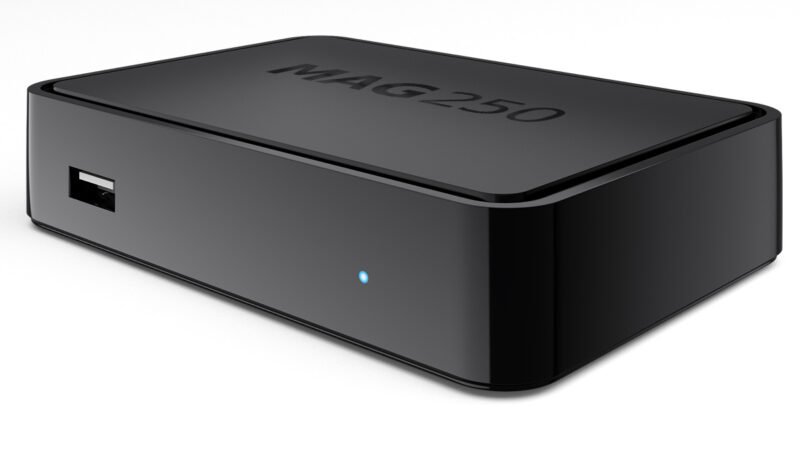
MAG devices are the best streaming media players. IPTV consumers prefer them for their speed, simplicity, and excellent streaming performance. The interface is simple but responsive, allowing fast channel transitions and providing all necessary features to optimize IPTV. How to set up MAG IPTV?
Set-Top Boxes are versatile devices that organize media content and enable IPTV service usage. A USB stick must be connected to your MAG box to record programs onto external storage.
Recording on MAG
Step 1: Select the recording channel and press the red remote button.
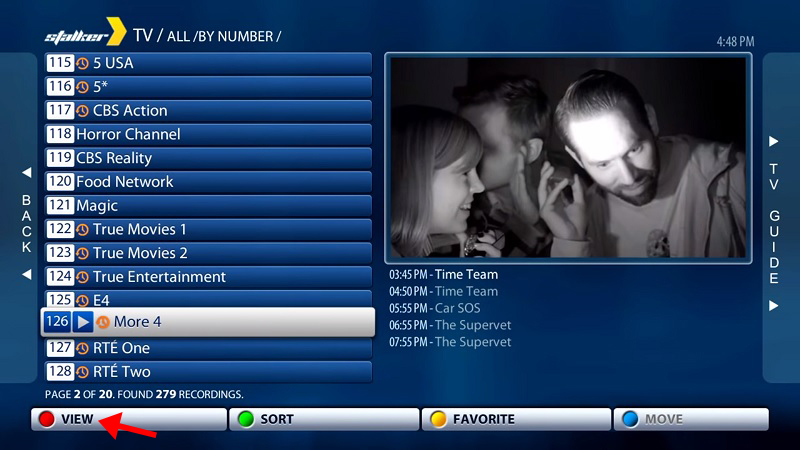
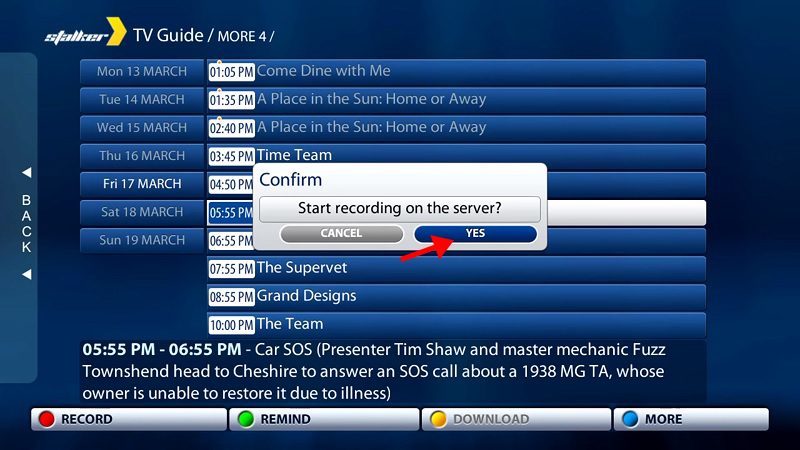
Step 2: Press the red button on the program you want to record and click “YES“.
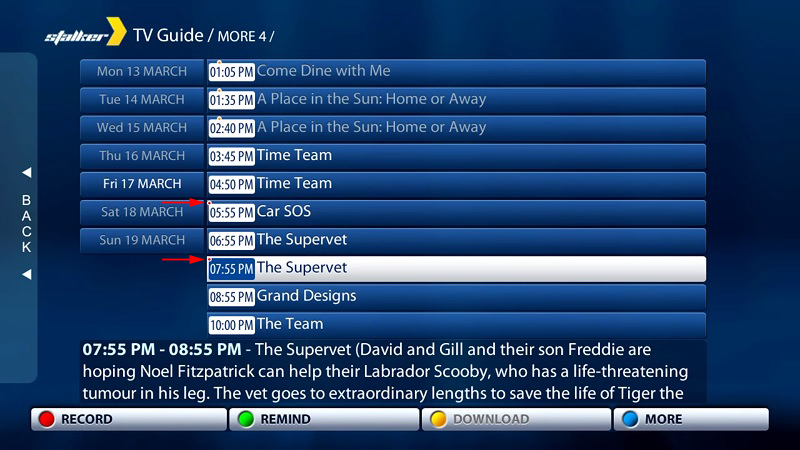
Step 3: The programs you’ve designated for recording have a tiny red dot, as shown by the red arrow below.
Step 4: Select “RECORDINGS” from the main menu to view your recordings.
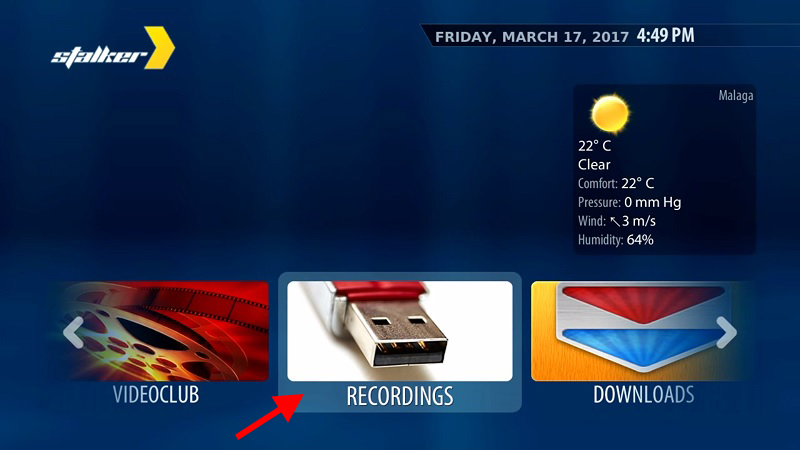
Step 5: Choose a recorded program from the list to watch. You can also delete unwanted recordings by pressing the red button.
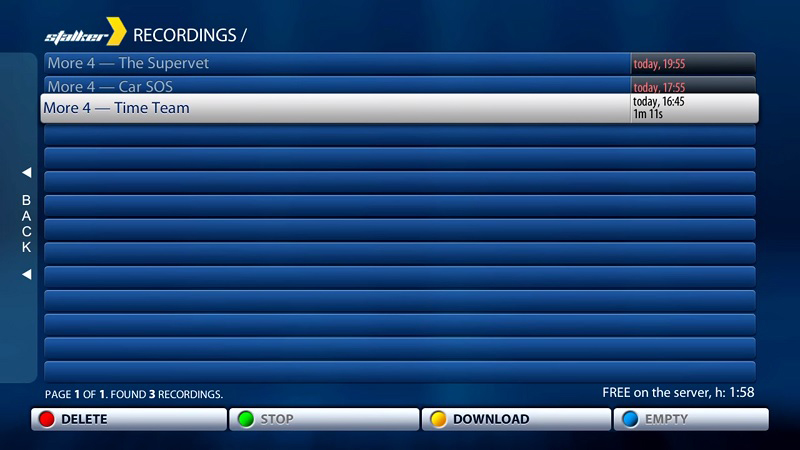
This completes the TV program recording process on your MAG box.
Please leave comments below to help us improve our articles. Thank you for your input beforehand!
 IPTVSKYPRO