

Starting with this tutorial, we will explain how to incorporate IPTV channels into your GSE SMART IPTV app. GSE is a comprehensive, user-specific, cutting-edge IPTV solution designed for both live and non-live TV broadcasting. communication Featuring an embedded, robust player, it boasts compatibility with a plethora of formats, including M3U, along with an array of customisable options. The reach of this solution grows to include both Android and iOS.
Within the scope of this discussion, we will explain how to set up IPTV in the GSE App using the Xtream-Codes API, as well as another way to do this. Through the Remote Playlist method, how does one set up IPTV on GSE?
Advantages of using the Xtream-Codes API to set up the GSE App:
You can easily add EPG (Electronic Programme Guide) information by using the Xtream-Codes API. This saves you the trouble of typing in the EPG URL by hand.Xtream-Codes API, one may seamlessly integrate Furthermore, automated EPG updates are rendered feasible.
When the IPTV provider offers the Catch-up feature, users can access this option within the Xtream-Codes API framework, similar to the functionality found in the MAG portal system.
Click on the link below to get this app:
Android devices:
https://apkpure.com/gse-smart-iptv/com.gsetech.smartiptv
iOS:
https://itunes.apple.com/us/app/gse-smart-iptv/id1028734023?mt=8
How to use the Xtream-Codes API to add IPTV channels to GSE
1. Get theGSE IPTV app from the Google Play Store. 2. Look for the options (three lines) in the upper left corner. GSE IPTV
Click on “Xtream-Codes API.”
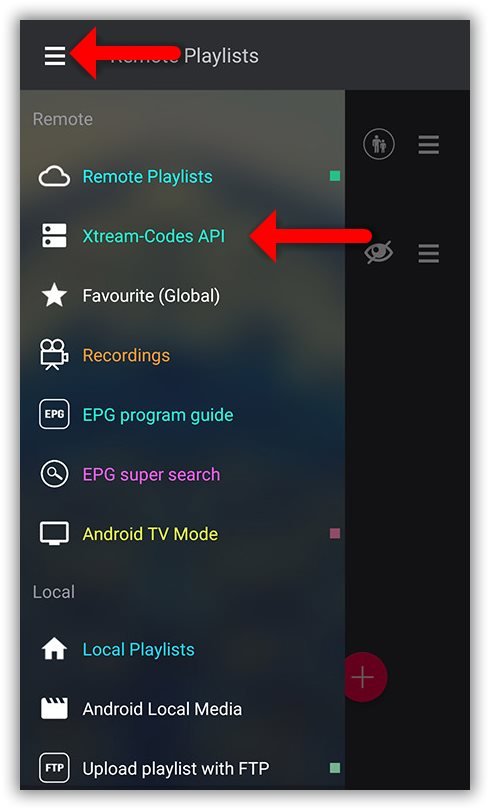
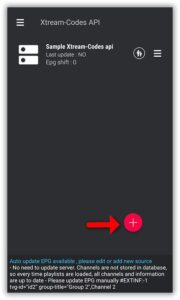
Step 2: In the bottom right corner, click on the red circle.
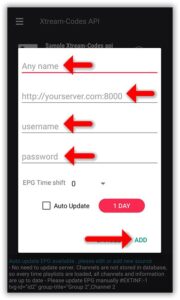
Step 3: Choose a name for the IPTV list; for example, you might select a designation like “MY IPTV” to illustrate this.
After that, type in the username, password, and server name. The M3U URL that your IPTV provider sends you can give you these details.
Once you’re done with these entries, go to the “Add” button and click it to finish the process.
Where can I find the server address, username, and password?
Step 4: Now look in the menu for your “IPTV list” and click on it.
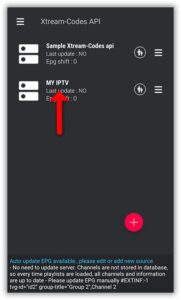
Step 5: Wait for the channels to be added to your app. This could take a while, depending on which countries or groups of channels are in your M3U file.
The LIVE channels and the Video on Demand (VOD) list will both be there.
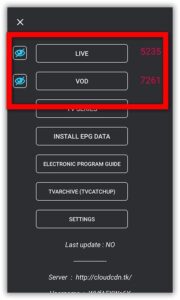
Step 6: Click on LINE to see the groups of channels.
This action will show the list of channel groups. Choose the channel you want to watch, then press “Play.”
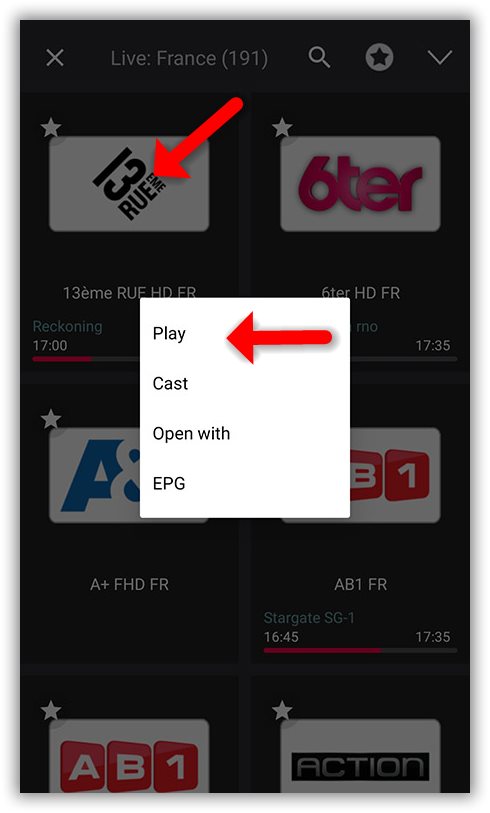
Now your GSE Android app is ready to let you stream IPTV channels on your phone or tablet.
How to use the Xtream-Codes API to load EPG into GSE
First, click on “INSTALL EPG DATA” to make adding EPG to GSE easy.
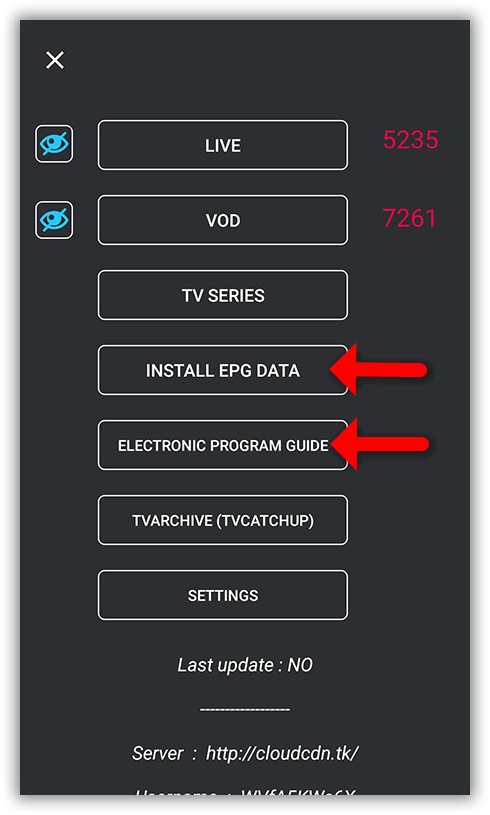
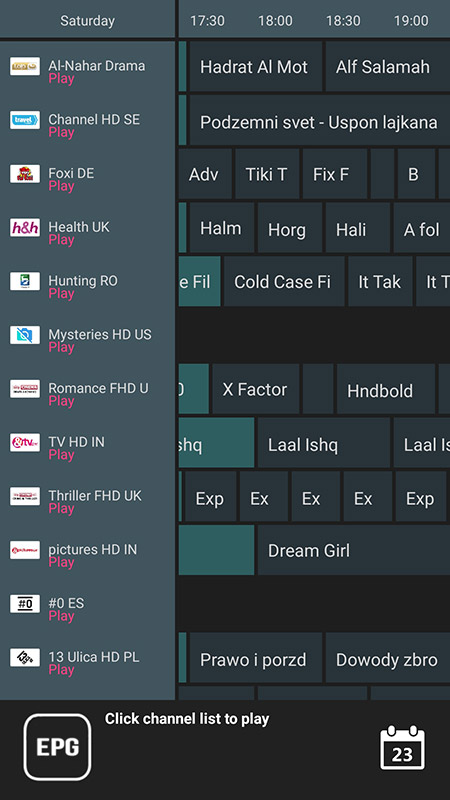
Step 2: Wait until the EPG data downloads; after that, you can see the EPG list by clicking on “ELECTRONIC PROGRAMME GUID”E.
 IPTVSKYPRO