

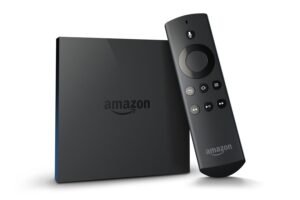
The Amazon FireTV is a great device that can turn your regular TV into an intelligent device. Numerous features are available, including IPTV channels, apps, interactive games, TV shows, and an HDMI port. A significant number of users opt to configure Kodi on this apparatus, thereby facilitating the dissemination of multimedia content. The next explanation shows two different ways to handle this configuration. What is Fire TV from Amazon?
First Way:
- Go to the Settings menu and scroll all the way down until you see the System section.
- Find the Developer Options and turn on both ADB Debugging and the option to install apps from sources you don’t know about.
- The next step is to go to the App Store and search for “Kodi Downloader.”
- Once you’ve found the app you want, you can install it.
- Once the installation is complete, open the app you just installed and paste the link provided into the correct place.
- Following that, start the download by clicking the “Download” button.
- After the download is done, you’ll be able to choose to install Kodi. Finally, click the “Install” button to finish the process.
The Kodi app is now set up on your Fire TV.
Second Way:
For this method to work, you must first install Kodi on your phone. It is possible to move apps from your phone to your device using Apps2Fire, an Android app that makes it easier to install Android apps on Amazon FireTV.
- Go to Settings, then System, and finally Developer options. Turn on the “Apps from unknown sources” setting. You can turn it off when the installation is done.
- Go to Settings, then System, and then About/Network on your Fire TV to record its IP address.
- Install Apps2Fire and enter the IP address that you recorded earlier.
- You should put Kodi on your phone.
- Go to the menu and click on the “Upload” button. Kodi should be picked from the long list of apps.
The process of installation will begin. If you run into any errors, this method might not work with your device, so you should try the first one again.
The Apps2Fire app is simple and makes it easy to download Kodi on your FireTV. If you complete all of the steps correctly, Kodi will be successfully installed on FireTV.
Please feel free to ask any questions you have in the comments section if you need any more help.
 IPTVSKYPRO