

When people talk about Apple TV, Chromecast, and Roku devices, the main topic of conversation is how easy it is to access on-demand streaming content. It is important to keep in mind that this discussion is mostly about the official Plex app for Apple’s tvOS, which only works with the 4th generation Apple TV and later models.
How to Get Plex to Work on Your Apple TV
During the setup process, the user-friendly features of the Plex interface really stand out. The Apple TV Plex app installation process is not only thorough, but it also connects the app to your Plex system without any problems.
These steps will help you set up IPTV on your Apple TV:
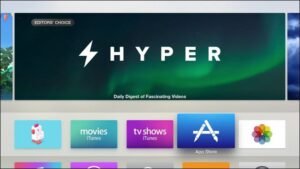
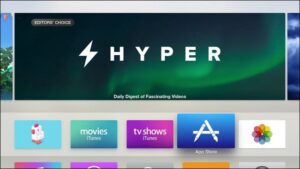
Start by turning on your Apple TV and going to the App Store from the home screen, as shown below.
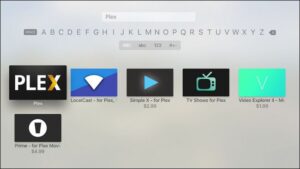
Step 2: Open the App Store app and go to the search function. Type “Plex” into the search bar. It is important to choose the official “Plex” app and not any others that sound similar, like “Simple X – for Plex.”
Step 3: Click the “Install” button in the further view, as shown below.
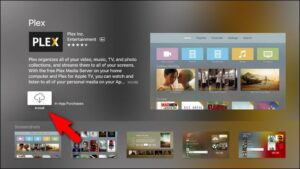
Step 4: After the installation process concludes, the “Install” button will change to “Open”. It needs to be clicked on again to start the Plex app.
You’ll be asked to sign in to your Plex account after the splash screen. You will be given a security code by the app to confirm your identity.

Fifth, get the four-character alphanumeric code and go to Plex.tv/link. Once you enter the code, the Apple TV Plex app and your Plex account will be officially linked. Thank you messages will appear almost simultaneously on both the website and the Apple TV app, suggesting that you are using Plex.

When you’re done with the confirmation screen, you’ll see a list of all the Plex media servers that are linked to your account. In the picture, you can see our cleverly named media server, which is called “plexmediaserver_1.” Pick the server to get to its media files.
Once you’ve picked the server you want to connect to, the steps are done. Now you can use Plex on your Apple TV. Please feel free to ask us questions or give us feedback. Your answers help us make our articles and content better.
[…] Apple TV, which was made by Apple Inc., is a digital media player and mini-console that can do many things. It lets you stream different kinds of multimedia content from the internet directly to TVs that are compatible with it. Movies, TV shows, music, and games are just some of the entertainment options that users can enjoy from the comfort of their own homes. The IP Television App lets you set up IPTV on Apple TV. […]
[…] Designed by Apple Inc., Apple TV is a multifunctional digital media player and micro-console that provides a gateway to directly broadcast various multimedia content from internet platforms onto suitable television screens. From movies to TV shows to music to games, users can have a great range of entertainment choices right in their own living quarters. IP Television App allows you to install IPTV on Apple TV. […]