


Roku is a Media Streaming Device that lets people stream movies, music, and TV shows and watch them on their TVs. It can connect to the Internet through either WiFi or an Ethernet cable. Because X offers videos in high definition, you must have a strong Internet connection.
The purpose of this guide is to explain how to use an M3U URL on Roku. What does the M3U List mean?
A guide on how to add a list from a URL
Take the first step and get the M3U playlist player from the Roku store.
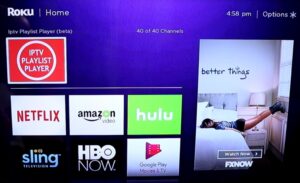
Step 2: Click “Add New or Updated Playlist.”
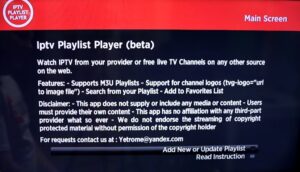
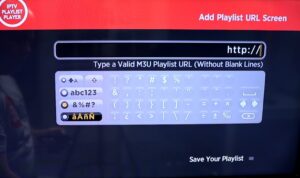
Step 3: Type in the URL of your M3U file and click “Save Your Playlist.” An IPTV provider can give you your M3U URL.
Step 4: Your M3U playlist may take a few minutes to fully load, depending on how long it is.
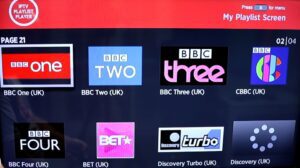
You can start watching TV by choosing any channel now that your M3U playlist is fully loaded.
We can’t wait to hear what you think about this article in the section below for comments. Thank you ahead of time.
[…] IPTV channels into the TVIP Console using M3U […]
[…] type “app.ss-iptv.com” into your Philips TV’s browser’s address bar to start the […]
[…] toggle the standing change. Once you’ve started the Downloader app, enter the link to the IPTV Smarters Professional APK file and then continue with the app’s […]
[…] 1: Go to the store list and download the Smart IPTV app. Remember that the app comes with a free trial that lasts for 7 days. After the trial period is […]
[…] It’s clear that the issue is with the SIPTV app, and it would be best to try some other IPTV apps. […]
[…] Get theGSE IPTV app from the Google Play Store. 2. Look for the options (three lines) in the upper left corner. GSE […]