

How do you set up an STB box?
It is possible to receive, decode, and show a digital signal on a TV with the help of a set-top box. This signal could be a TV show or data from the internet that you get through a cable or internet connection. There are different kinds of IPTV setup boxes on the market, and each one has its own operating system, such as iOS or Android. Boxes like MAG and Enigma2-based boxes can also be used as set-top boxes.
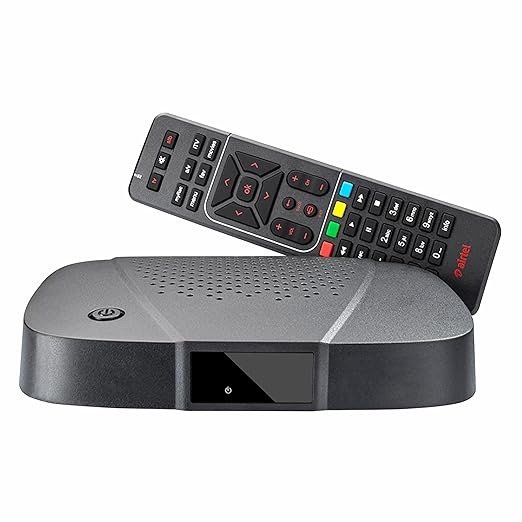
Why using STB is a good idea
- A tuner in a set-top box picks up signals from outside sources and sends them to the TV so that the picture and sound are of high quality.
- STBs are necessary to keep digital signals coming in.
- They let you watch IPTV, cable TV, and satellite TV.
STB boxes features
- Interactive programme guides: Give up-to-date information on when current and upcoming shows are happening.
- Channel Bookmark: This feature lets users save their favourite channels so they can easily find them again.
- Timer: This feature lets users change channels at set times and record more than one show at the same time.
- Parental lock lets users limit their kids’ access to certain channels or block all of them.
- Users can record shows by choosing them from the interactive guide and sending the signal to a DVR or VCR that is compatible through a SCART link.
- Firmware update features: Service providers now provide automatic firmware updates for modern STBs, which are a big plus.
Before you buy a set-top box, you should think about a few things to make sure you make the right choice:
- Variety of Choices: Find out if the maker gives you a choice of several things.
- HD Support: For the best viewing experience, make sure the device supports HD.
- Warranty: Check to see if the set-top box comes with a warranty from the manufacturer.
- Customer Service: Assess the manufacturer’s customer service and satisfaction.
- Channel Choice: Check to see if the IPTV service provider has the channels you want.
- Discounts and Special Offers: Look for special discounts and offers that are only available from this service provider.
- Value for Money: Based on your needs, decide if the device is worth the money it costs.
- Payment Options: Make sure there are easy ways to pay, like calling or paying online.
- Extra Features: Look for extra TV channels, multiplayer games, and family-friendly content.
- VOD: Check if the service offers HD films, TV shows and live events.
Set-top boxes have these pros:
- More types of channels.
- Better picture quality.
- Better viewing experience with fewer interruptions.
- Having access to HD content.
- TV screens that help the digital revolution happen.
Points against:
- Without a set-top box, you might not be able to watch free-to-air channels.
- Adding the cost of buying the set-top box to the bill.
You can tell us what you think and give us suggestions in the comments section to help us make our articles better. I appreciate your thoughts.